
What if the crack on your laptop screen costs more to fix than two-thirds of what you paid for the entire machine?
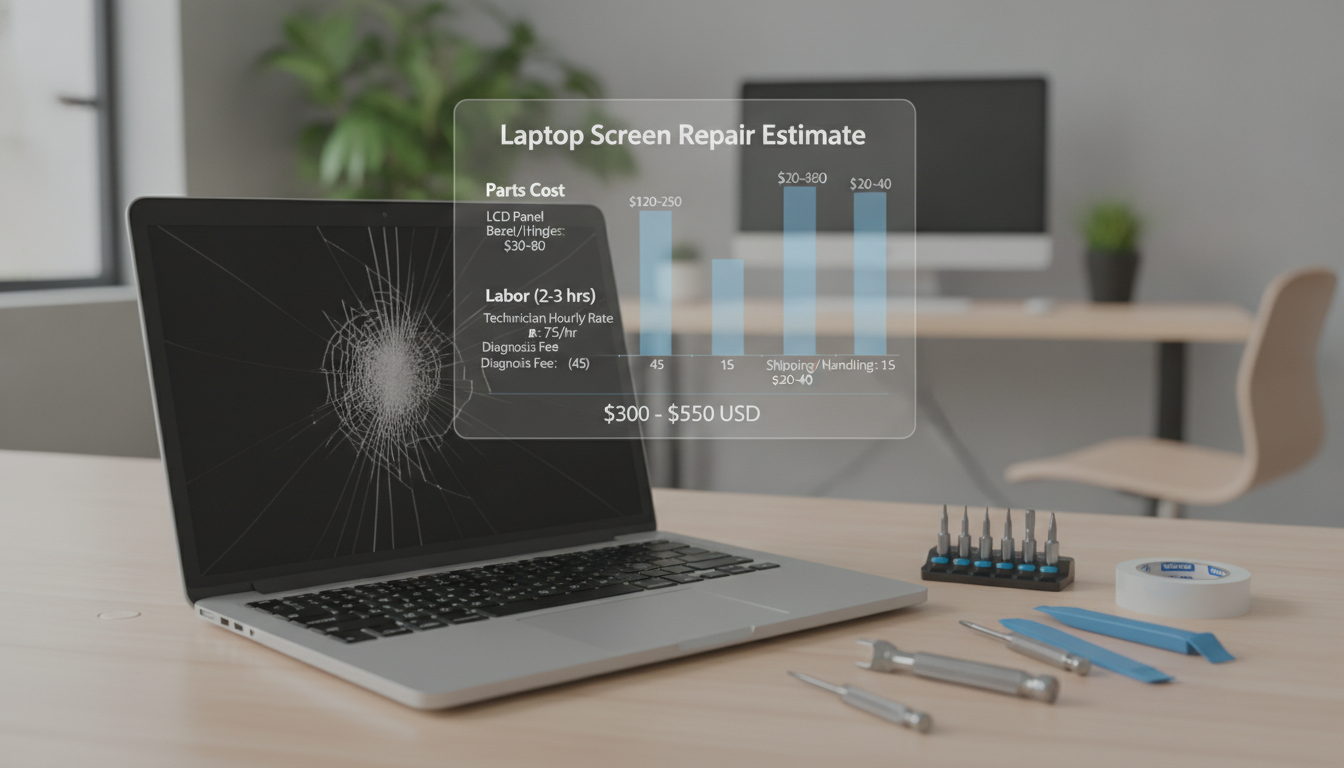
Many laptop owners face this issue. Replacing a laptop screen can cost between $40 for DIY and over $500 for brands like Apple or HP. The cost varies based on your brand, screen type, and repair comfort.
A cracked or glitchy display is not just ugly. It also hurts your productivity and eyes. Every minute spent on a bad screen is wasted. So, knowing the cost to replace a laptop screen is crucial.
Whether you have a Dell, Lenovo, MacBook, or Samsung, the laptop screen replacement cost changes. A pro might charge $100 to $300. But, a manufacturer repair from Toshiba or HP could be $350 to $420. Touchscreen models cost even more, usually between $250 and $350.
This guide will help you understand the costs. You’ll learn when DIY saves money, when a pro is worth it, and how warranties can help.
Key Takeaways
- DIY laptop screen repairs typically cost between $40 and $100 for the replacement panel alone.
- Professional technician repairs range from $100 to $300 depending on the laptop brand and screen type.
- Manufacturer repairs from brands like HP and Toshiba can run $300 to $500, plus shipping fees.
- Touchscreen laptop displays cost more to replace, averaging $250 to $350.
- Brand-specific costs vary widely — Asus screens start at $40, while MacBook screens can reach $500.
- A valid warranty may cover the full repair, leaving you responsible only for shipping charges.
- Total repair costs can reach up to two-thirds of the laptop’s original purchase price.
Understanding Laptop Screen Damage
Your laptop screen is very fragile. A small accident can ruin your day. Before looking at repair costs, know what happened and if fixing it is worth it.
Common Causes of Screen Damage
Most damage comes from simple mistakes. Drops from desks or laps are common. Pressing on a closed laptop can also crack it.
Here are the main reasons for damage:
- Accidental drops or impacts against hard surfaces
- Sitting on a laptop or placing heavy objects on it
- Liquid spills that seep behind the display
- Manufacturing defects that worsen over time
- Screen hinge wear from repeated opening and closing
Signs That Your Screen Needs Replacement
Not every problem means you need a new screen. Some issues can be fixed with cables or software. But some signs mean you need a new screen.
Look out for these signs:
- Visible cracks or shattered glass across the display
- Clusters of dead or stuck pixels that won’t go away
- Constant flickering, even after driver updates
- A completely black or white screen with no image
- Color distortion or bleeding along the edges
Using only three-quarters of your screen hurts your work. The age of your laptop also matters. If it’s over five years old, fixing the screen might cost more than the laptop itself. In that case, getting a new laptop might be better.
Spotting these signs early helps you decide fast. The next part talks about exact costs for different brands.
Average Cost Breakdown for Screen Replacement
Knowing the average cost for laptop screen repair can save you money. Prices vary a lot. This depends on your laptop brand, screen type, and where you get it fixed. Let’s look at what you might pay.
National Averages for Different Laptop Brands
Your laptop brand affects the cost. HP screen replacements cost between $30 to $300. Touchscreen models are more expensive. Dell screens start at $200 without warranty.
Toshiba laptops are the priciest. Repairs can cost between $250 and $500.
Here’s a quick look at real-world pricing from popular repair services:
| Laptop Model | Repair Service | Estimated Cost |
|---|---|---|
| HP Zbook 17 | CPR Cell Phone Repair | $150 |
| Dell 17R | CPR Cell Phone Repair | $200 |
| Toshiba (15″–17″) | CPR Cell Phone Repair | $450 |
| General LCD Replacement | Best Buy Geek Squad | $200+ (plus $34.95 deposit) |
Factors Influencing Replacement Costs
The cost of replacing a laptop LCD screen depends on several factors. Screen size is a big factor. Larger screens need more expensive panels.
Touchscreen repairs are also more expensive than standard display fixes.
Here are the main factors that drive your total price up or down:
- Screen size: 17-inch panels cost more than 13-inch or 15-inch options
- Display type: Touchscreen replacements run significantly higher than non-touch
- Resolution: High-resolution and OLED screens carry premium pricing
- Labor fees: Service providers like Geek Squad may charge deposit or diagnostic fees on top of parts
- Warranty status: Out-of-warranty repairs mean you cover the full bill
Understanding these variables helps you budget before committing to a repair. In the next section, we’ll explore whether a DIY approach could trim those costs even further.
DIY vs. Professional Screen Replacement
You have two choices when your screen cracks. You can fix it yourself or take it to a pro. Your decision depends on your skills, budget, and how much risk you’re okay with.
Pros and Cons of DIY Repairs
Fixing it yourself can save you money. Basic kits start at $10. They include tools like a screwdriver and tweezers.
Replacement screens cost about $49. So, you could spend less than $65. Think about the risks before you start:
- Pro: It’s cheaper than going to a pro
- Pro: You can do it on your own time
- Con: One mistake can mess up the screen
- Con: It might void your warranty
When to Seek Professional Help
Go to a pro if it’s more than just a screen swap. Issues like cracked bezels or broken hinges need experts. CPR Cell Phone Repair has over 16 years of experience.
Choose wisely where you go. Some places, like Geek Squad, send repairs to others. This can make it take longer and cost more.
| Factor | DIY Repair | Professional Service |
|---|---|---|
| Average Cost | $49–$65 | $150–$300+ |
| Turnaround Time | 1–2 hours | 1–5 business days |
| Risk of Further Damage | Higher | Lower |
| Warranty on Repair | None | Typically 30–90 days |
If you’re not sure, a pro can help. Knowing the costs helps you choose wisely for your needs and budget.
Types of Laptop Screens

Your laptop’s screen type affects repair costs. Not all displays are the same. Knowing the differences helps you guess repair prices before you go.
LED vs. LCD Displays
LCD screens use a special lamp for light. LED screens use tiny lights instead. Most laptops now have LED screens because they’re thinner and use less power.
LED panels are easier to find for repairs. Older LCD panels are harder to get, which can make repairs more expensive. LED replacements cost between $50 and $150.
Touchscreen vs. Non-Touchscreen Screens
Touchscreen panels cost a lot more to replace. Non-touch screens cost $80 to $200. Touchscreens can cost $200 to $600 or more.
Touchscreens have a special layer for touch. Some use a separate glass for touch. Others have the touch layer right on the LCD. This makes touchscreens more expensive.
- Non-touchscreens are simpler and cheaper to replace
- Touchscreens require specialized parts and careful calibration
- Fused digitizer panels raise costs because you must replace both layers
| Screen Type | Typical Part Cost | Typical Labor Cost | Total Estimate |
|---|---|---|---|
| LED (Non-Touch) | $50–$150 | $40–$80 | $90–$230 |
| Older LCD (CCFL) | $80–$200 | $50–$100 | $130–$300 |
| Touchscreen (Fused) | $150–$400 | $60–$120 | $210–$520 |
| Touchscreen (Separate Digitizer) | $100–$250 | $50–$100 | $150–$350 |
Knowing your screen type before you go saves time. It also helps you understand repair quotes better.
Warranty Considerations
Before you pay, check your warranty. A valid warranty can make the cost zero. This simple step could save you a lot of money.
Checking Your Laptop Warranty
Find your laptop’s model number on the label. It’s on the bottom or inside the battery. Go to the manufacturer’s website with this number to see if you’re covered.
Most warranties last one to two years from when you bought it. Keep your receipt ready. You might need it to prove you bought it.
Warranty Coverage for Screen Damage
Warranties usually cover defects, not accidents. So, if you broke your screen, you might have to pay for it yourself.
Extended plans can help. Best Buy’s Geek Squad starts at $59.99 and covers accidents. AppleCare+ for MacBooks covers up to two accidents a year.
| Coverage Type | Accidental Damage | Manufacturing Defects | Typical Duration |
|---|---|---|---|
| Standard Manufacturer Warranty | No | Yes | 1–2 years |
| Geek Squad Protection | Yes | Yes | 2–3 years |
| AppleCare+ (MacBook) | Yes (with deductible) | Yes | Up to 3 years |
Read the fine print well. Some plans don’t cover cosmetic-only damage or have a deductible. Knowing this helps you figure out the real cost before you decide.
If your warranty is gone, don’t worry. The next part talks about professional repair shops and how to find a good one.
Repair Shops: What to Expect

Going to a repair shop can be scary if you don’t know what’s going to happen. A good laptop screen replacement service will help you through every step. Knowing what to look for can save you time, money, and stress.
Typical Services Offered by Repair Shops
Most repair shops do more than just replace a broken screen. When you look for laptop screen repair near me, you’ll find shops that offer a lot:
- Diagnostic testing to find the exact problem
- Parts finding for your laptop model
- Professional screen installation and alignment
- Calibration after repair for color and brightness
- Quick service for common screen types
Places like CPR Cell Phone Repair do everything in-house. This means they can fix your laptop faster. Best Buy’s Geek Squad might send your device to another place, which can take longer.
How to Choose a Reliable Repair Service
Not all laptop screen replacement services are the same. You want a shop that knows your laptop brand well. Ask about warranties on parts and labor before you decide.
| Criteria | What to Look For |
|---|---|
| Experience | Specialization in your laptop brand (Dell, HP, Apple, etc.) |
| Turnaround Time | Same-day or next-day for common models |
| Warranty | At least 90 days on parts and labor |
| Reviews | 4+ star rating on Google or Yelp |
| Pricing Transparency | Free quotes provided after inspection |
Reading online reviews is a quick way to check a shop. When searching for laptop screen repair near me, look at recent feedback. A good shop will check your device first and give you a clear quote before starting work.
Getting Quotes for Screen Replacement
Before you spend a dime, get quotes from several repair services. Knowing how much to replace laptop screen costs across different shops puts you in a stronger position. A few minutes of research can save you hundreds of dollars.
Where to Find Quotes
Start by reaching out to local repair shops in your area. Many offer free estimates after a quick physical inspection of your device. You can check the average cost laptop screen online to set a baseline before visiting in person.
Manufacturer websites from brands like Apple, Dell, and HP provide online repair estimates. Mail-in repair services are an option too, but remember to factor in shipping costs. Local shops often give same-day quotes, which speeds up the process.
Evaluating Quote Comparisons
Price alone doesn’t tell the full story. Ask each shop for an itemized quote that separates parts from labor. This makes it easy to spot where your money goes.
Use this checklist when comparing quotes:
- Does the quote include a warranty on parts and labor?
- What is the expected turnaround time?
- Are they using OEM or third-party replacement parts?
- Is the repair covered by your existing warranty or insurance?
Here is a quick look at typical price ranges and turnaround times by brand to help you evaluate quotes:
| Brand | Screen Type | Price Range | Turnaround Time |
|---|---|---|---|
| Apple | Retina Display | $300–$500 | 3–5 days |
| Dell | LED Non-Touch | $150–$300 | 2–4 days |
| HP | Touchscreen | $200–$400 | 3–6 days |
| Lenovo | LCD Display | $100–$250 | 1–3 days |
One smart rule to keep in mind: if the average cost laptop screen repair exceeds 50% of what a new laptop would cost, it may be time to replace the entire device. Weigh your options carefully before committing to a repair.
Extending the Lifespan of Your Laptop Screen

Prevention is key. Before you need to find laptop screen repair, you can take steps to protect your screen. Simple habits and the right accessories can save your screen from damage.
Maintenance Tips for Laptop Screens
Clean your screen with a soft cloth every week. Use a screen-safe solution, not liquid directly on the screen. This keeps it clear and prevents scratches.
Never press hard on a closed laptop lid. Heavy items on top can crack the screen. This simple habit can save you a lot of money.
Always close your laptop gently and carry it with both hands when moving between rooms. These actions reduce stress on the screen.
Protective Accessories to Consider
The right accessories can protect your screen. Here are some good options:
- Screen protectors — tempered glass or film options guard against scratches and minor impacts, even on touchscreens
- Anti-glare filters — reduce eye strain and add protection
- Privacy screens — block side-angle viewing and protect the display
- Padded laptop sleeves — absorb shock during travel and daily commutes
- Hard-shell laptop cases — offer rigid protection against drops and bumps
| Accessory | Average Cost | Protection Level |
|---|---|---|
| Screen Protector Film | $8 – $15 | Scratch and smudge defense |
| Tempered Glass Protector | $15 – $30 | Impact and scratch resistance |
| Padded Laptop Sleeve | $15 – $40 | Shock absorption during transport |
| Hard-Shell Case | $25 – $60 | Full exterior drop protection |
Spending $15 to $60 on protection is worth it. If damage happens, knowing a trusted repair service helps you get back to work fast.
Insurance Options for Laptop Repairs
Replacing a laptop screen can be expensive, even for high-end models. Insurance helps protect your budget from unexpected repair costs. You can choose from many options, like plans from retailers or standalone policies.
Understanding Laptop Repair Insurance
Stores like Best Buy offer protection plans for about $59.99. You can also get extended warranties from the manufacturer. Third-party providers offer the most coverage.
Progressive’s Phone and Electronic Device Insurance (by Worth Ave. Group) covers many things. This includes accidents, theft, spills, cracked screens, and power surges. Policies last 1 to 3 years, with deductibles starting at $50. They pay out an average of $695.81 for laptop repairs, which is more than the cost of a new screen.
But, insurance won’t cover everything:
- Viruses or software issues
- Normal wear and tear
- Corrosion from neglect
- Damage caused by blatant carelessness
Most LED laptops have a 3 to 5 year manufacturer warranty. Check your manual and keep receipts before buying extra coverage.
Filing Claims for Screen Damage
When you file a claim, you need to show what caused the damage. Take photos, save repair estimates, and note the date. Many policies let you file claims as many times as you need.
| Coverage Type | Starting Cost | Deductible | Accidental Damage | Theft Coverage |
|---|---|---|---|---|
| Retailer Protection Plan | $59.99/year | $0–$99 | Yes | No |
| Manufacturer Extended Warranty | $79.99/year | Varies | Limited | No |
| Progressive (Worth Ave. Group) | Varies by device | $50+ | Yes | Yes |
Compare your annual premium against the potential cost to replace laptop screen panels. If your device is worth $800 or more, insurance can save you money. A 5% discount is available when getting a Progressive quote online.
Conclusion: Making an Informed Decision
Knowing how much it costs to replace a laptop screen is very helpful. You can now look at repair prices and see if warranties are worth it. You also have to decide if you should fix it yourself or get a pro to do it.
The right choice depends on your budget, how good you are at fixing things, and how long you’ll use the laptop.
Weighing Costs Against Benefits
Replacing a laptop screen is a good idea if your laptop is still new and works well. But if your laptop is old, spending $200 or more might not be the best choice. Instead, you could buy a new laptop from brands like Dell, HP, or Lenovo.
Getting a pro to fix your laptop gives you peace of mind. They do it right and offer guarantees. But fixing it yourself can save money, even if it’s risky. Remember, every day your laptop is broken, you lose time and money.
Final Thoughts on Screen Replacement
Think of the cost to replace a laptop screen as part of a bigger picture. Don’t forget to add things like screen guards and padded cases to your total cost. Making a smart choice today and taking good care of your laptop can save you money later.