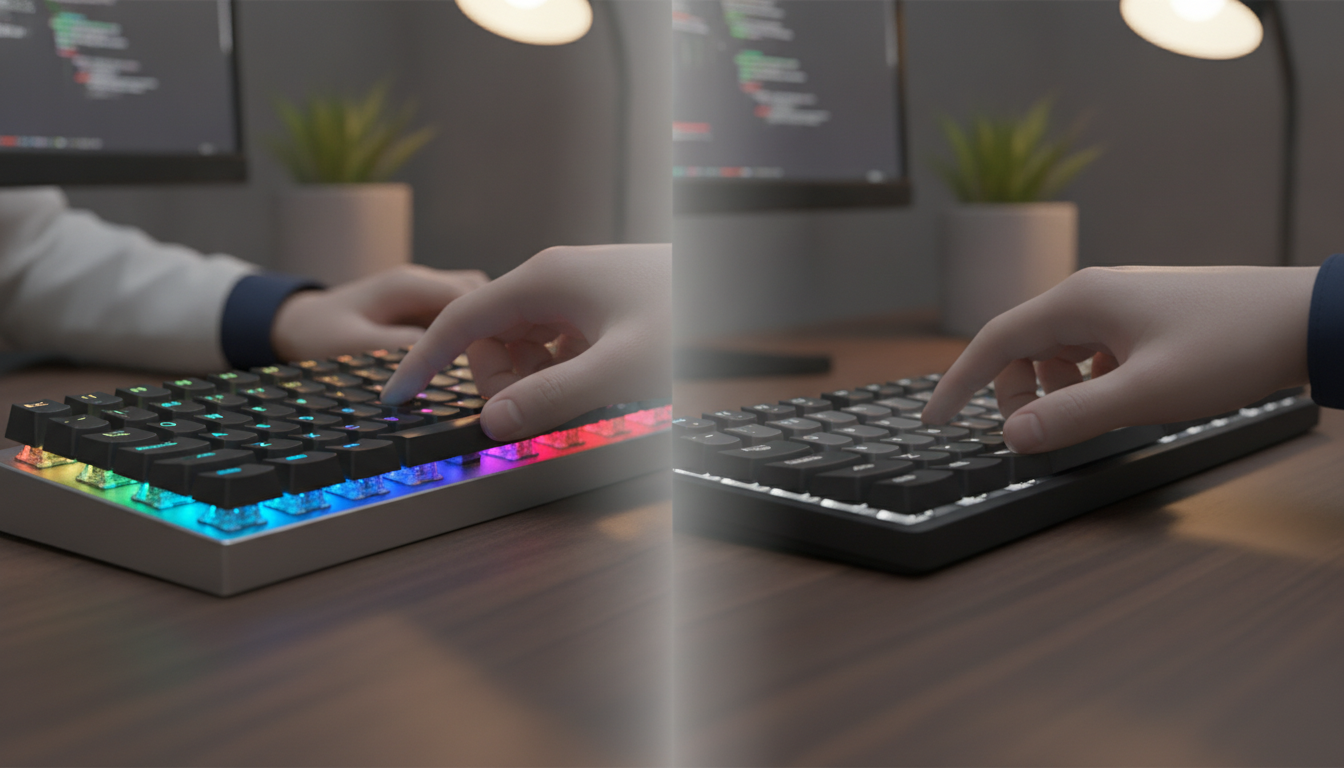

Could the keyboard under your fingers right now be costing you speed, comfort, and money in the long run?
Most people never think twice about their keyboard. You plug it in, start typing, and move on. But the gap between a mechanical vs membrane keyboard is bigger than you might expect. It affects everything from how long your keyboard lasts to how fast you can type.
Mechanical keyboards use individual switches built to handle 50 to 100 million keystrokes. Membrane keyboards rely on rubber domes that wear out after 5 to 10 million presses. That’s a tenfold difference in lifespan alone.
Price tells a different story. You can grab a solid membrane board for $10 to $50. A mechanical option runs between $50 and $300. So the real question becomes: what are you paying for, and is it worth it?
This keyboard buying guide breaks it all down for you. You’ll learn about switch types, noise levels, repair options, and real-world performance. Mechanical boards let you swap out a single broken switch. Membrane boards need a full replacement when something fails.
Features like n-key rollover and anti-ghosting give mechanical keyboards an edge for gaming and fast typing. Yet membrane boards shine in quiet offices and tight budgets. This keyboard comparison guide helps you weigh every factor before you spend a dime.
Key Takeaways
- Mechanical switches last up to 100 million keystrokes — roughly ten times longer than membrane rubber domes.
- Membrane keyboards cost $10 to $50, while mechanical boards range from $50 to $300.
- Broken mechanical switches can be replaced one at a time, saving you from buying a whole new keyboard.
- N-key rollover and anti-ghosting features make mechanical keyboards ideal for gaming and programming.
- Membrane keyboards offer quieter operation, making them a strong fit for shared workspaces.
- Your daily tasks, budget, and workspace should drive your final decision in any keyboard buying guide.
Introduction to Keyboard Types
Before buying a new keyboard, it’s good to know what’s inside. There are mainly two types: mechanical and membrane keyboards. Each type works differently to record your keystrokes. Knowing about keyboard switch types helps you choose the best one.
What Are Mechanical Keyboards?
A mechanical keyboard has individual physical switches under each key. Each switch has a stem, spring, housing, and contacts. These work together when you press a key.
There are three main types of switches:
- Clicky switches (like Kailh BOX V2) — make a sharp, audible click
- Tactile switches (like Salmon switches) — give a bump to show the key was pressed
- Linear switches (like Hippo switches) — feel smooth and consistent
This variety helps you find a keyboard that fits your needs.
What Are Membrane Keyboards?
Membrane keyboards have three thin, flexible layers. The middle layer is a spacer. The top and bottom layers have conductive traces. Pressing a key connects these layers.
Most computer keyboards use dome switches. A small rubber dome is under each key, making it soft. This is different from flat membrane keypads found in some appliances.
| Feature | Mechanical | Membrane |
|---|---|---|
| Switch Design | Individual spring-loaded switches | Three-layer pressure pad |
| Key Feel | Crisp and distinct | Soft and cushioned |
| Switch Variety | Clicky, tactile, linear | Dome or flat |
Now you know the basics of both designs. Next, we’ll look at the key differences that affect your daily use.
Key Differences Between Mechanical and Membrane Keyboards
Choosing between mechanical and membrane keyboards depends on three main things. You need to think about switch technology, feel, and sound. These will help you decide what’s best for you.
Switch Mechanisms
Mechanical keyboards have a switch under each key. Each switch has a spring and a contact point. This means you don’t need to press the key all the way down for it to work.
Membrane keyboards are different. They have a rubber dome under each key. You must press the key all the way down for it to work. This technology is simpler but needs a full key press every time.
Key Feel and Feedback
Tactile feedback keyboards give a small bump or click when you press a key. This bump helps you type faster because you feel the key press. Mechanical switches, like Cherry MX Brown or Blue, give this clear feedback.
Membrane keyboards feel soft and mushy. The rubber dome collapses evenly, so you don’t feel a clear key press. This can lead to more typos and slower typing.
Noise Level
There’s a big difference in noise between mechanical and membrane keyboards. Here’s a quick look:
| Feature | Mechanical Keyboard | Membrane Keyboard |
|---|---|---|
| Typical Sound Level | 50–70 dB (audible click or clack) | 30–45 dB (quiet, muffled) |
| Noise Source | Spring and contact mechanism | Rubber dome compression |
| Quiet Options Available | Yes (silent linear or silent tactile switches) | Quiet by default |
| Best Setting | Home office or private workspace | Open office or shared spaces |
If you work near others, membrane keyboards are quieter. For tactile feedback without the noise, try silent mechanical switches from brands like Cherry or Gateron. They’re a good choice.
Advantages of Mechanical Keyboards
You deserve a keyboard that works as hard as you do. Mechanical keyboards offer more than just a click. They bring quality and customization to your daily work.
Durability and Longevity
Keyboard durability is where mechanical boards truly shine. Most mechanical switches are rated for 70 to 100 million keypresses. Membrane keyboards top out at around 5 million.
Your investment lasts years, not months. Switches resist flattening and rarely get stuck. If one fails, you can replace just that switch, not the whole board.
| Feature | Mechanical Keyboard | Membrane Keyboard |
|---|---|---|
| Lifespan (Keypresses) | 70–100+ million | ~5 million |
| Switch Replacement | Individual switches replaceable | Full board replacement needed |
| Component Repairability | Switches, keycaps, cables | Limited |
Customization Options
Keyboard customization is a big draw. You can swap keycaps, choose hot-swappable switches, and even lube switches for a smoother feel.
Sound tuning is also popular. Foam inserts, plate materials, and tape mods let you shape your board’s sound. Ergonomic layouts and stabilizer upgrades are also options.
- Hot-swappable switches for easy changes
- Custom keycap sets in countless colors and profiles
- Sound dampening with foam and plate mods
- Stabilizer upgrades for larger keys
Typing Experience
Each keypress gives you clear, consistent feedback. You know exactly when a key registers, which reduces finger fatigue during long work sessions.
Key rollover is a standout feature. Mechanical boards detect every simultaneous keypress. Membrane models often miss inputs when you type fast. This means faster, more accurate typing, whether coding, gaming, or drafting reports.
Benefits of Membrane Keyboards

Membrane keyboards are great for busy people. They work well and don’t cost much. They’re perfect for small budgets and tight spaces.
Cost-Effectiveness
Membrane keyboards are very affordable. You can find them for $10 to $30. Mechanical keyboards cost $80 to $150 or more.
Big brands like Dell, Microsoft, and HP make them. This keeps prices low but quality good.
You can buy one easily. No need to think about special features. It just works right out of the box.
Space-Saving Design
Membrane keyboards are thin and light. Most weigh under a pound. They’re easy to carry in a laptop bag.
They take up less space. This is great for travel and working at different desks. You can type without feeling bulky.
Quiet Operation
Membrane keyboards are very quiet. They make almost no sound when you type. This is great for shared offices.
They are very quiet. This is a big plus for using them at work.
| Feature | Membrane Keyboards | Mechanical Keyboards |
|---|---|---|
| Average Price | $10–$30 | $80–$150+ |
| Weight | Under 1 lb | 2–4 lbs |
| Noise Level | Near silent | Moderate to loud |
| Portability | Excellent | Limited |
| Store Availability | Widely available | Specialty or online |
For those needing affordable and quiet keyboards, membrane keyboards are a good choice. Next, we’ll look at the top brands for mechanical keyboards.
Popular Brands for Mechanical Keyboards
Choosing the best keyboard for gaming starts with knowing which companies deliver quality. A few mechanical keyboard brands are top choices for gamers and professionals. Let’s look at three leaders in this space.
Corsair
Corsair makes professional-grade mechanical keyboards trusted by e-sport athletes worldwide. Their boards have fast Cherry MX switches and bright RGB lighting. iCUE software lets you control macros, lighting, and performance profiles.
The K100 RGB and K70 series are favorites in any gaming keyboard comparison. Corsair focuses on build quality that lasts through millions of keystrokes.
Razer
Razer specializes in gaming peripherals designed for precision and speed. Their switches offer near-instant actuation. Razer Synapse software lets you customize every key to match your play style.
Models like the Huntsman V3 Pro and BlackWidow V4 rank high when searching for the best keyboard for gaming. Razer pairs cutting-edge tech with sleek, aggressive design.
Logitech
Logitech’s G series delivers smooth, responsive control with adjustable polling rates up to 8,000 Hz. Options+ and G HUB software let you fine-tune keys, buttons, and gestures with ease. The G Pro X and G915 are popular picks among competitive players.
Logitech stands out among mechanical keyboard brands for blending wireless freedom with wired-level speed.
| Feature | Corsair K100 RGB | Razer Huntsman V3 Pro | Logitech G Pro X |
|---|---|---|---|
| Switch Type | Cherry MX / Corsair OPX | Razer Analog Optical | GX Mechanical (hot-swappable) |
| Polling Rate | 4,000 Hz | 8,000 Hz | 8,000 Hz |
| RGB Lighting | Per-key RGB | Per-key RGB | Per-key RGB |
| Software | iCUE | Razer Synapse | G HUB |
| Approximate Price | $179 | $249 | $149 |
This gaming keyboard comparison shows each brand brings unique strengths. Your ideal pick depends on the features and budget that fit your needs. Up next, we’ll explore top membrane keyboard brands for a different set of priorities.
Notable Brands for Membrane Keyboards
Looking for a good keyboard for work? Some brands are better than others. They make keyboards that are easy on the wallet and reliable. Let’s explore the top three brands making membrane keyboards today.
Dell
Dell gives membrane keyboards with many of its desktops. These keyboards are simple and easy to type on. You might have used one at work before.
Dell’s keyboards are all about being simple and reliable. They don’t have fancy features. But they work well every day.
Microsoft
Microsoft makes membrane keyboards with ergonomic design. Their keyboards have curved shapes and wrist rests. This makes typing easier on your hands and wrists.
Microsoft aims at office workers who type a lot. Their Ergonomic Keyboard line is a favorite among them.
HP
HP says their membrane keyboards last about 5 million keystrokes. You’ll see HP keyboards in offices everywhere. They’re great for places where keyboards get used a lot.
| Brand | Target Use | Key Feature | Avg. Price Range |
|---|---|---|---|
| Dell | Business & Home | Bundled with desktops | $15–$30 |
| Microsoft | Office Ergonomics | Curved, ergonomic design | $25–$60 |
| HP | Corporate Settings | 5 million keystroke lifespan | $12–$35 |
Dell, Microsoft, and HP focus on making lots of keyboards that are affordable. Their keyboards are good for basic typing needs. They are cheaper than mechanical keyboards, which is important to think about when you’re choosing.
Pricing Comparison: Mechanical vs. Membrane
Knowing about keyboard prices helps you make a good choice. At first, the price difference between budget and premium keyboards seems big. But, looking at the long-term value shows a different picture.
Price Range Overview
Membrane keyboards cost between $10 and $50. You can find a good one from brands like Dell or HP for under $30. Mechanical keyboards start at $50 and can go up to $300 or more for the best ones.
The prices of budget and premium keyboards are closer than you might think. A good membrane keyboard for $40 is close to a $50 mechanical keyboard. This small difference can change your typing experience a lot.
Value for Performance
Looking at keyboard value means more than just price. Mechanical switches can last 50 to 100 million keystrokes. Membrane switches last 5 to 10 million keystrokes before they break.
Cheap membrane keyboards might need to be replaced every one to two years. A good mechanical keyboard can last 10 years or more. This makes mechanical keyboards cheaper to use over time.
| Feature | Membrane Keyboard | Mechanical Keyboard |
|---|---|---|
| Price Range | $10 – $50 | $50 – $300+ |
| Keystroke Lifespan | 5 – 10 million | 50 – 100 million |
| Expected Lifespan | 1 – 5 years | 10+ years |
| Repairability | Limited | Individual switch replacement |
| Customization | Minimal | Keycaps, switches, lighting |
| Estimated Cost Per Year | $10 – $25 | $5 – $30 |
When you think about comfort, repair, and customization, mechanical keyboards are better over time. They cost more upfront, but they last longer. It’s like investing in your daily work.
Use Cases for Mechanical Keyboards

Mechanical keyboards are great for tasks that need speed, accuracy, and comfort. They’re perfect for online gaming, coding, or writing long documents. These keyboards help you stay focused for hours.
Gaming
When comparing gaming keyboards, pros always choose mechanical. They offer n-key rollover and anti-ghosting. This means every key press is counted, even in fast combos.
Customizable actuation distance is a big plus for gamers. You can choose switches that respond quickly. This helps gamers react fast and stay ahead.
Programming
Programmers need keyboards that feel good for long hours. Mechanical switches give clear feedback without feeling too deep. This helps avoid mistakes and keeps hands from getting tired.
With consistent actuation, fingers learn to type better. Programmers who type a lot say they feel less tired at the end of the day.
General Typing
Writers and professionals who type a lot see big improvements. The keyboards make typing feel smooth and rhythmic. Long typing sessions become easier.
| Use Case | Key Benefit | Ideal Switch Type |
|---|---|---|
| Gaming | Fast response, anti-ghosting | Cherry MX Red (Linear) |
| Programming | Tactile feedback, fewer errors | Cherry MX Brown (Tactile) |
| General Typing | Satisfying feel, better accuracy | Cherry MX Blue (Clicky) |
No matter what you do, a mechanical keyboard fits your needs. It keeps your fingers comfortable all day.
Use Cases for Membrane Keyboards
Membrane keyboards are great for simple tasks. They are affordable and easy to use. Here are three times when they are the best choice.
Casual Use
For web browsing, email, or streaming, membrane keyboards are perfect. They are cheap and work well. Most cost under $30, so you can easily get a new one if needed.
You don’t need a $150 mechanical board to scroll through social media. Membrane keyboards are good for people who don’t type a lot. They are easy to take care of.
Office Environments
Membrane keyboards are quiet, which is great for open-plan offices. They won’t disturb your coworkers. Brands like Dell, Microsoft, and HP make reliable membrane keyboards for desk work.
Using a wireless keyboard and mouse can make your desk look better. You can find good laptop and computer accessories from Logitech, HP, and AmazonBasics. They fit any office.
- Near-silent keystrokes for shared workspaces
- Spill-resistant designs on many office models
- Plug-and-play setup with no software needed
Travel
Membrane travel keyboards are light and slim. They fit easily in your bag. They are much lighter than mechanical keyboards and take up less space.
| Feature | Membrane Travel Keyboards | Mechanical Travel Keyboards |
|---|---|---|
| Average Weight | 8–14 oz | 20–32 oz |
| Typical Price | $15–$40 | $60–$120 |
| Noise Level | Quiet | Moderate to Loud |
| Replacement Risk | Low cost to replace | Expensive to replace |
Membrane keyboards are a good choice for travel. If one gets lost or broken, it’s easy to replace. This makes them practical for people who travel a lot or work remotely.
Maintenance and Care for Your Keyboards

Your keyboard picks up dust, crumbs, and oils from your hands every day. A good care guide can make it last longer. Both mechanical and membrane keyboards need care, but in different ways.
Cleaning Mechanical Keyboards
Mechanical keyboards are easy to clean. You can take off keycaps for a deep clean. Use compressed air between the switches at least once a week to get rid of loose stuff.
Once a month, take off the keycaps and soak them in warm, soapy water for 30 minutes. Clean the switch plate with a microfiber cloth and isopropyl alcohol. Make sure everything is dry before putting the caps back on.
If you spill something, unplug the keyboard right away. Turn it upside down, remove all keycaps, and let it dry for 48 hours. Mechanical boards are easy to fix, so you can replace damaged switches.
Caring for Membrane Keyboards
Membrane keyboards need gentle care. Their thin rubber layers are close to the circuit board. Spills can quickly damage the PCB.
For membrane keyboards, just clean the surface with a damp cloth. Use compressed air along the edges. Don’t pull off keycaps, as most designs don’t allow it.
| Care Task | Mechanical Keyboards | Membrane Keyboards |
|---|---|---|
| Weekly Compressed Air | Between each switch | Along edges and surface |
| Keycap Removal | Monthly deep soak recommended | Not recommended |
| Liquid Spill Recovery | High — dry 48 hours, replace parts | Low — often causes permanent damage |
| Surface Wiping | Isopropyl alcohol + microfiber cloth | Damp cloth only |
| Repairability | Individual switches replaceable | Full board replacement typical |
Regular care keeps your keyboard working well. The right cleaning routine now saves you money later.
How to Choose the Right Keyboard for You
Choosing the right keyboard starts with knowing how you work. Your daily habits, workspace, and budget matter. This guide helps you make a smart choice.
Assessing Your Needs and Preferences
Think about what you do most on your keyboard. Do you game a lot? Or type reports all day? Your main activity affects switch type and layout size.
Next, consider your workspace. A full-size keyboard needs more desk space. But, compact layouts like 65% or tenkeyless designs save room. They’re great for small desks or travel.
Noise is key in shared spaces. For open offices, choose quiet membrane or linear mechanical switches. Here are some tips to help you choose:
- Linear switches — smooth and quiet, perfect for gaming and typing fast
- Tactile switches — soft bump on each keystroke, great for office work
- Clicky switches — loud and fun, best for those who type at home
| Factor | Mechanical Keyboard | Membrane Keyboard |
|---|---|---|
| Durability | 50–100 million keystrokes | 5–10 million keystrokes |
| Customization | Swappable keycaps and switches | Limited options |
| Long-Term Value | Higher upfront, lower replacement cost | Lower upfront, more frequent replacement |
Trying Before You Buy
Specs only tell part of the story. Try keyboards in a store. The feel is more important than what it says.
Check out a detailed keyboard selection guide from Logitech. It compares mechanical and membrane options for different users. This guide helps find the right keyboard for your lifestyle.
Think about the long-term cost. A durable mechanical keyboard costs more at first. But, it lasts a long time. Choosing the right keyboard means balancing today’s cost with future use.
Conclusion: Which Keyboard is Right for You?
Choosing between a mechanical and a membrane keyboard depends on how you use your computer. Both types have their own uses. Your choice should match your typing habits, work style, and budget.
Summary of Key Points
Mechanical keyboards last a long time, offer great feedback, and can be customized. They’re perfect for writers, programmers, gamers, and anyone who types a lot. Membrane keyboards are quieter, cost less, and are good for casual use and quiet offices.
Final Recommendations
If you type a lot, choose a mechanical keyboard for comfort and precision. Brands like Corsair, Razer, and Logitech have good options at different prices. For simple tasks on a budget, a membrane keyboard from Dell, Microsoft, or HP works well.
Start with these recommendations. Try different switches if you can. Read reviews and choose based on your needs. The right keyboard saves money, protects your hands, and makes typing easier.