


Curious which platform will turn your idea into a hit without a steep learning curve?
You want clear choices and fast results. This guide compares leading no code game maker free options so you can pick the right fit for your project and budget.
GDevelop stands out as an open-source engine that supports 2D, 3D, and multiplayer play, and it publishes to iOS, Android, Steam, and web. Many platforms use drag-and-drop interfaces, templates, and plug-and-play assets to speed creation.
We map strengths across platforms and tools so you avoid wasting time on the wrong engine. Expect practical advice on prototyping, export options for app and web, licensing, and when a paid plan makes sense for storefront exports.
Key Takeaways
- Compare platforms by strength: 2D, 3D, RPG, narrative, multiplayer.
- GDevelop is a versatile open-source engine with broad export options.
- Free tiers can be useful; paid plans help with scaling and storefronts.
- Focus on event systems, visual scripting, and built-in editors to speed prototyping.
- Check community, tutorials, and licensing before committing to a platform.
Why no-code game engines matter now in the United States
A shift toward visual development workflows gives creators a faster path from concept to publish in the U.S. market.
Present-day market momentum and opportunity
The global market is expected to reach $268.8 billion by 2025, which makes this year and the next two especially important for fast movers.
If you shorten prototype-to-publish time, you gain a direct path to revenue. Visual tools speed iteration by replacing deep programming with drag-and-drop logic and templates.
Who benefits: beginners, indie teams, educators, and brands
Beginners and small indie teams can ship playable titles without long onboarding cycles. Educators and nonprofits deploy interactive lessons and events with less overhead.
Brands test playable ads and web demos as low-risk experiments. Strong community ecosystems help you solve roadblocks and reuse proven patterns fast.
- The U.S. market is competitive—validate concepts quickly to capture momentum.
- Platforms shorten development time and reveal what’s feasible in weeks vs. months.
- Faster iteration improves retention and monetization tests before scaling spend.
What a no-code game maker is and how it works
You build playable levels and mechanics through visual tools instead of writing syntax. A no-code game platform replaces typing with graphical blocks, event flows, and node graphs so you focus on design and player experience.
Drag-and-drop logic, event systems, and visual scripting
Event systems let you set conditions, actions, and variables in clear steps. That reduces errors and speeds iteration.
Visual scripting shows state, collisions, UI, and progression as readable nodes. You wire behavior with drag-and-drop logic, then test in the built-in editor.
Templates, asset packs, and community-driven features
Start with templates for platformers, shooters, RPGs, and puzzles to prototype fast. Asset packs supply characters, tiles, sound, and effects so your first playable build can appear in hours.
Community examples reveal proven patterns for camera control, input mapping, save/load, and monetization. When you need more depth, many platforms let you extend visuals with scripting or plugins.
- You design behavior with visual logic blocks that replace manual code.
- Built-in editors keep scenes, UI, particles, and animation in one workspace.
- Marketplaces and shared projects cut production time and show production-ready patterns.
For practical next steps, explore a curated list of simulators and platforms here: no-code gaming simulators. That will help you match tools to your goals and scale complexity as needed.
Key buying criteria for a no-code game engine
Your pick should start with practical fit: what you want to build and where you want to ship. Map genre support first, then confirm export targets and long-term cost. Prioritize platforms that solve your immediate needs while scaling cleanly.
Supported genres
Map genre fit: ensure the engine handles 2D, 3D, RPG, narrative, or multiplayer well. If you target multiplayer or RPG systems, test sample projects and latency tools early.
Export targets
Confirm exports: one-click builds to mobile, web, desktop, and consoles save weeks. Check store requirements, SDKs, and build size limits for each export path.
Pricing and resources
Review pricing: free tiers, monthly plans, or one-time licenses change ROI. Learn which exports or cloud services live behind paywalls.
Assets, tutorials, and community
Validate the asset pipeline — editors, import formats, and performance for your art style. Look for robust tutorials, sample projects, and active forums to speed game development.
- Audit core features now—event logic, animation, UI, physics.
- Check store readiness: SDKs, achievements, and compliance.
- Keep credits and licensing in scope to avoid rework before submission.
For a side-by-side comparison of platforms and export workflows, explore a curated guide to help you choose the right path: compare platforms.
no code game maker free options to consider
Start by separating platforms that are fully unlocked from those that gate key exports behind paid plans.
Some engines let you publish to the web without paying. Others give a limited trial or lock mobile and desktop exports behind subscriptions.
Construct 3 is browser-based and lists a $4.99/month entry; check its free version for export caps. Stencyl allows web publishing at no cost, but mobile requires a $99/year upgrade. GameMaker Studio 2 offers a free trial and a $39 one-time license for continued use.
Cloud editors, versions, and account requirements
Cloud editors reduce setup friction. They let you build on any device and keep project backups online.
Expect to create accounts for cloud saves, team sharing, and marketplace access. Compare version limits, project caps, and export watermarks before you invest time in a build.
| Platform | Export | Version limits | Cost note |
|---|---|---|---|
| Construct 3 | web, app | limited on free version | $4.99/month entry |
| Stencyl | web (mobile paid) | projects vary by account | $99/year for mobile |
| GameMaker Studio 2 | desktop, web, mobile | trial then full license | $39 one-time license |
Practical advice: weigh monthly bills versus a one-time license. Factor how fast you can prototype without coding and how collaboration features fit your team.
GDevelop: open-source, AI-assisted creation with broad exports
GDevelop combines an open foundation with AI-assisted workflows to help you prototype and ship faster. This platform focuses on clarity: visual event editors replace long scripts so beginners can learn by doing.
Event-based logic, 2D/3D/multiplayer, and asset tools
Use event-based logic to control behavior without typing. That makes building your first game approachable and repeatable.
GDevelop supports 2D and 3D scenes, plus multiplayer tests. Built-in asset tools let you import art or expand with an asset pack for faster creation.
Publishing to iOS, Android, Steam, and web
Exports are direct: you can target mobile, desktop storefronts like Steam, and web builds from one platform. That simplifies store readiness and reduces friction.
Who it’s best for: education, first games, indie projects
GDevelop suits classrooms, indie teams, and beginners aiming for rapid iteration. The large community provides templates, examples, and feedback that speed learning.
- AI-assisted tools jumpstart scenes and behaviors.
- Simple exports to mobile and PC storefronts.
- Scales from prototypes to polished indie games.
Bottom line: if you want open-source flexibility, clear logic tools, and painless export paths, GDevelop is a strong platform for first-time creators and seasoned teams alike.
Construct 3, GameMaker Studio 2, and Unity Visual Scripting compared
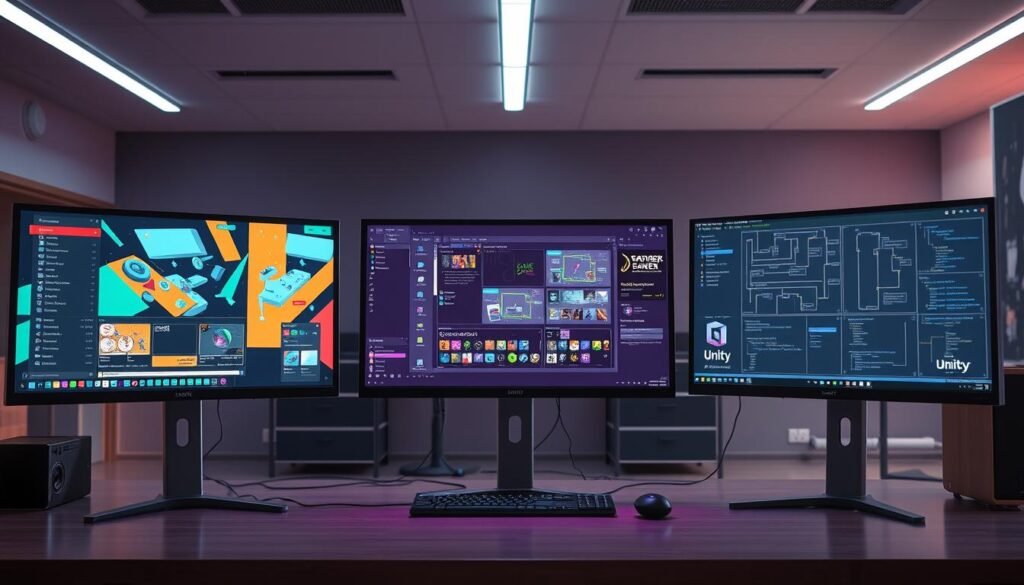
This comparison helps you pick the right editor for prototypes, midweight builds, or full 3D production.
Construct 3: browser-first, mobile and web focus
Construct 3 runs in a browser and uses drag-and-drop visual scripting. It ships with 100,000+ templates and one-click export to iOS, Android, Windows, and web.
Its cloud workflow is ideal for classroom work or quick mobile game prototypes. Use cloud saves to switch machines or share projects with a small team.
GameMaker Studio 2: drag-and-drop plus a scripting path
GameMaker Studio 2 offers a gentle learning curve. Start with visual logic, then add GML when you need more control.
It supports multi-platform export and benefits from a large community that shares tutorials and sample scenes. That community reduces blockers as you scale a midweight project.
Unity Visual Scripting: 3D, AR/VR, and a vast asset store
Unity opens high-end 3D, AR/VR, and console paths with visual scripting tools. The Asset Store and third-party extensions accelerate production for larger teams.
Unity is free for personal use, with paid tiers for professional studios. Its app and store integrations make it strategic when you plan to scale or sell across multiple storefronts.
- Evaluate features like timelines, physics, tilemaps, and UI tools against your scope.
- Consider team workflows: cloud saves, source control, and third-party extensions matter.
- Pick the engine that matches your genre, performance target, and monetization plan.
| Editor | Strength | Best for |
|---|---|---|
| Construct 3 | Browser, templates, cloud | Rapid mobile game & web prototypes |
| GameMaker Studio 2 | Drag-and-drop + GML, large community | 2D commercial titles and hobby projects |
| Unity Visual Scripting | 3D, AR/VR, huge asset store | High-fidelity 3D apps and multiplatform scale |
RPG Maker, Stencyl, and Buildbox for specialized use cases
When your project needs tight narrative tools or ultra-fast mobile loops, pick a specialized engine. Each platform targets a clear use case: deep stories, classroom-friendly logic, or rapid mobile production.
RPG Maker: narrative tools and turn-based systems out of the box
RPG Maker ships with dialogue editors and turn-based combat systems so you can create games with rich stories fast.
Pricing starts at $79.99 for a one-time version purchase. Use its built-in editors and an asset pack to speed art and scene assembly.
Stencyl: Scratch-like logic for mobile and web
Stencyl uses block logic that lowers the barrier for beginners. It publishes to iOS, Android, Windows, and HTML5.
Web export is free; mobile requires a $99/year tier. Stencyl works well in classrooms and for rapid prototypes that target mobile game storefronts.
Buildbox: rapid mobile creation for hyper-casual hits
Buildbox focuses on simple loops, art polish, and fast iteration for mobile. It offers a free plan and paid tiers starting at $9.99/month; Pro is $99/month.
Use tutorials and starter kits to move from concept to a playable loop in days, not weeks. Expect to tune performance and UX for iOS and Android storefronts.
- Balance a one-time version purchase (RPG Maker) versus subscription models (Stencyl mobile, Buildbox).
- Leverage visual development and tutorials to shorten time-to-play.
- Use an asset pack for consistent art across UI, characters, and effects.
| Platform | Strength | Export targets | Cost model |
|---|---|---|---|
| RPG Maker | Narrative systems, turn-based combat | PC, HTML5 (varies by version) | One-time purchase from $79.99 |
| Stencyl | Scratch-like blocks, classroom use | HTML5, iOS, Android, Windows | Free for web; $99/year for mobile exports |
| Buildbox | Hyper-casual mobile loops, fast iteration | iOS, Android, web | Free plan; $9.99/mo and up, Pro $99/mo |
Bottom line: pick the tool that matches your scope. If narrative branching and dialogue matter, choose RPG Maker. If you teach or prototype with blocks, Stencyl fits. If you chase quick mobile traction, Buildbox reduces friction. For broader engine comparisons and export details, see this roundup on video game engines.
microStudio and Rosebud: web-first and AI-powered creation

microStudio and Rosebud pair a web-first editor with generative AI so you can test ideas fast and keep iteration tight.
microStudio is a web-first editor that supports HTML5 export and builds for Android, Windows (.exe), macOS, Linux, and Raspberry Pi.
It bundles in-editor asset, sound, and music management so you keep production inside one workspace. Enable networking to run client/server multiplayer without external services.
Optional physics libraries—matter.js for 2D and cannon.js for 3D—make movement and collisions feel responsive. Manage each project with public or private settings, tags, and Explore listings when licenses and credits are set.
Rosebud: fast AI-driven prototyping
Rosebud converts natural language to playable 2D and 3D prototypes. Use its generative workflows to create art and scene layouts, then refine controls with manual logic passes.
For teams, combining a cloud editor with AI shortens feedback loops. Rapid iteration helps validate core mechanics and difficulty before you invest in full production.
| Tool | Primary strength | Notable export targets |
|---|---|---|
| microStudio | Web editor, multiplayer, physics | HTML5, Android, Windows, macOS, Linux, Raspberry Pi |
| Rosebud | Generative art and prototype creation | 2D/3D prototypes (exportable assets and scenes) |
- Use case: validate mechanics quickly with web builds and AI assets.
- Team benefit: cloud iteration reduces review cycles.
- Risk reduction: fast prototypes cut time-to-insight for product decisions.
Publishing and monetization: from web builds to app stores
Getting your title into players’ hands depends on smart export and store strategy. Decide early whether you will launch on the web, mobile stores, desktop platforms, or a staged mix. Each path has different technical checks and business needs.
Mobile, desktop, and HTML5 export strategies
Plan your export path. Use HTML5 for instant web play, native builds for app stores, and desktop packages for Steam or itch.io. microStudio supports HTML5 plus Android, Windows, macOS, Linux, and Raspberry Pi. Construct 3 offers one-click export to iOS, Android, Windows, and web browsers.
Stage rollouts: soft-launch on web to collect retention and telemetry. Then push a polished app to stores when metrics stabilize. Test low-end devices and optimize load times to protect ratings and reduce rejections.
Asset credits, licenses, and store-readiness
Use an asset store to speed production, but log licenses and attributions from day one. Keep a persistent credits file for each project to avoid last-minute delays during submissions.
- Align builds to store requirements: icons, screenshots, ratings, privacy, and SDKs.
- Validate IAP, ads, and analytics early in QA to prevent post-launch hotfixes.
- Document versions tied to each store submission for traceability.
| Export Target | Common Requirements | When to use |
|---|---|---|
| HTML5 (web) | Compressed assets, browser testing, GDPR/privacy notices | Quick validation and soft-launch metrics |
| Mobile app (iOS/Android) | App icons, store screenshots, SDKs, ratings, privacy policy | Monetization, ads, and in-app purchases |
| Desktop (Steam/itch.io) | Build packaging, achievements, controller support, store pages | Paid titles and community-driven releases |
Practical checklist: bundle assets to reduce load time, keep a credits log, and stage rollouts. Build a roadmap for updates and events to sustain revenue after launch.
Total cost of ownership: free tiers, paid plans, and time-to-value
Plan your budget and milestones early to avoid surprises during development.
Start with a 90-day experiment budget. A few month payments—like Construct 3 at $4.99/month—can be cheaper than a one-time license depending on scope. Stencyl charges $99/year for mobile exports; GameMaker Studio 2 offers a $39 one-time option after a trial.
Track upgrade triggers. Exports to a native store, cloud builds, and multiplayer often live behind paid tiers. Upgrade only when those features directly unlock revenue or testing you need.
Estimate time and asset needs before you scale. Count hours for tutorials, prototype loops, and polish. Add costs for assets, QA, and store submissions over a year of live ops.
- Budget the first 90 days to validate core mechanics and retention.
- Keep an asset checklist to control scope and avoid art creep.
- Record credits and licenses early to prevent rework at submission.
- Factor seats and cloud storage if you need collaboration.
| Cost area | Typical range | When to plan |
|---|---|---|
| Editor fees | $0 – $99/year or $4.99/month or one-time $39 | From prototype start |
| Exports & features | Often behind paid tiers; varies by platform | Before store submission or multiplayer tests |
| Assets, QA, live ops | Hundreds to thousands per year | Post-prototype when scaling |
Practical way forward: validate with a web build first. Measure time-to-insight and revisit costs each month. Pay for premium features only when ROI is clear.
Your next step: pick a platform and start making games without coding
Pick one platform today and set a tight, seven-day goal to build your first playable loop. Start making a micro-prototype: one level, one enemy, one win/lose condition.
Focus on speed. Choose tools with templates and an asset store so you can create games without long setup. Keep scope small so beginners ship fast and learn more from playtesting.
Publish a web proof-of-concept, then plan native exports based on feedback. Track licenses and document what worked, what failed, and which code-free features saved the most time.
Your best way forward is validate fun early, then layer polish and monetization. For guidance on building apps without scripting, see this practical guide: app development without coding.



0 Comments