


Ready to build a real app without years of traditional development? This guide shows how a visual builder speeds you from idea to deploy. You will learn practical steps, follow video-led lessons, and finish a live project that maps to stakeholder needs.
FlutterFlow combines a drag-and-drop interface, widget components, and a real-time preview so you design fast and stay focused on users. It connects with Firebase for storage and auth, supports CRUD, and produces iOS and Android builds from one project.
Follow a project-first path that suits beginners and working pros. A concise workflow covers planning, building home and task pages, testing, and publishing. The lessons pair clear content with video steps so you can iterate with confidence.
If you want a structured start, start learning no-code building for practical modules and portfolio projects. Use these essentials and tools to convert ideas into live apps that impress employers and users alike.
Key Takeaways
- Visual builders cut time-to-market and keep designs consistent.
- Video tutorials guide each project stage from plan to publish.
- Firebase essentials give you scalable auth and data handling.
- A project-first approach helps beginners build portfolio-ready apps.
- Use proven tools to prototype fast and test with real users.
- Clear content and structured feedback speed skill growth.
Why learn no-code app development with FlutterFlow right now
Start with a visual development workflow to ship mobile apps faster and smarter.
Visual builders compress the typical design-build-test cycle. FlutterFlow’s drag-and-drop interface and real-time preview let you validate ideas with users in hours, not weeks.
The platform compiles one project to both iOS and Android. That removes parallel maintenance for separate applications and speeds releases.
Integrations with Firebase handle data modeling and backend services. A documented to-do tutorial walks through planning, UI, backend setup, logic, testing, and deployment so you follow a repeatable process.
- Reduce timelines: one visual process covers design, data, and deployment.
- Upskill faster with focused content and step-by-step video lessons.
- Validate early with live previews and on-device testing to lower risk.
| Approach | Time to MVP | Maintenance |
|---|---|---|
| Visual builder | Weeks | Single project, cross-platform |
| Traditional dev | Months | Separate iOS & Android codebases |
| Hybrid tools | Weeks to months | Partial reuse, some custom work |
FlutterFlow fundamentals and how the platform accelerates app development
Start by understanding the platform’s core elements: widgets, previews, and data binding.
FlutterFlow provides an intuitive drag-and-drop user interface that mirrors Flutter’s widget model. You build screens with reusable components and set properties visually. This lowers friction and lets you focus on user flows and content quickly.
Drag-and-drop UI, widget-based design, and real-time preview
You construct interfaces by assembling widgets and nesting them into a widget tree. Styles, actions, and navigation are configurable in the editor so you keep designs consistent.
Preview changes instantly. The real-time view acts like a live video of your app. Fix layout, motion, and state issues before they reach testers.
Cross-platform builds for iOS and Android from a single project
Generate builds for both platforms from one project. That cuts duplicate work and simplifies maintenance for teams and users.
- Connect data sources, define schemas, and bind fields to UI without scripting.
- Use tools and a code tool integration to extend APIs and Firebase when needed.
- Document essentials and apply basics to keep apps scalable as features grow.
| Area | Speed | How it helps |
|---|---|---|
| User interface | Fast | Drag-and-drop and reusable widgets accelerate layout decisions |
| Data & integration | Moderate | Visual schemas and bindings reduce backend wiring time |
| Builds | Efficient | One project compiles to iOS and Android, lowering maintenance |
For a list of practical tools and complementary resources, explore no-code tools. Use the essentials and video-led content to move from idea to production-ready applications.
Planning your first no-code app: workflow, pages, and features
Start by mapping user flows so every screen has a clear purpose and measurable outcome. Use simple diagrams to align scope fast. This keeps the project focused and reduces rework.
Mapping user journeys with simple diagrams and page lists
Begin with tools like Lucidchart, Sketch, or Market Plan. Sketch out user journeys and a page list for core screens.
For a simple to-do, plan a homepage for task summaries and a new-task page for input. Add a landing page or companion website if onboarding and acquisition matter.
Choosing the essential features for an MVP without coding
Define a minimal feature set: add-task, list, and basic filters. Translate flows into concrete screens, navigation, and interactions.
- Outline data entities, fields, and relations before wiring CRUD.
- Prioritize development essentials for the first release and defer extras.
- Structure the backlog with estimates, risks, and dependencies.
- Derive acceptance criteria per step so the project stays measurable.
| Screen | Purpose | Key data |
|---|---|---|
| Home | Task summary & filters | Task title, status, due date |
| New Task | Create and validate input | Title, notes, priority |
| Landing Page | Acquisition & onboarding | Signup flow, feature highlights |
Connect planned screens to Firebase collections and fields so UI and data evolve together. Validate with clickable previews and invite users for quick feedback. When you need guided steps, follow the no-code tutorials for practical course content and templates.
Hands-on tutorial: using FlutterFlow to create a simple to-do app
Start the hands-on tutorial by creating a fresh project and defining clear navigation between your main screens. Set project name, platform info, and choose tab or stack navigation to link Home and Add Task.
Set up a new project and establish navigation
Create a blank project and configure Firebase for authentication and task storage. Add a Home screen and an Add Task screen. Connect them with a bottom tab or push/pop stack so users travel smoothly between views.
Design the user interface for home and add-task screens
Use list widgets to render task rows. Add input fields, buttons, and clear error states on the Add Task page.
Connect actions and basic logic for adding and viewing tasks
Bind the list to a Firebase query. Map fields like title, status, priority, and createdAt. Configure onTap actions to open details, and use visual operations to create, update, and delete records.
Style your theme for accessible, mobile-friendly UI
Apply a consistent theme with high-contrast colors, readable typography, and generous touch targets. Add input validation to block empty submissions and duplicates.
- Preview flows in the simulator and test on devices.
- Document each step so the project can be handed off or extended.
- Use a free course to review essentials and video-led content when you need extra guidance.
Data and backend essentials with Firebase
A clear Firebase schema saves hours when your project gains users and complexity. Start by mapping collections for core entities so UI and backend evolve together.
Model collections, fields, and relations to reflect real use cases. For a task app, create collections for tasks and users. Include fields for title, status, priority, ownerId, and createdAt.
Set relations such as user-to-task references to power personalized lists and permissions. Design indices for common queries to keep performance consistent on mobile.
Implement visual CRUD operations and secure reads and writes
Use visual actions to add create, read, update, and delete flows without heavy code. Bind list widgets to Firebase queries and use filters for responsive detail views.
- Validate operations in the real-time preview with test content.
- Enforce security with Firebase rules that require auth and role checks.
- Adopt naming conventions and versioned rules as development essentials.
| Area | Why it matters | Action |
|---|---|---|
| Modeling | Data structure drives features | Define collections, fields, and relations |
| Security | Protect reads and writes | Use Firebase rules and role-based access |
| Reliability | Diagnose issues quickly | Log client errors and monitor usage |
Document your data contracts so teams and users know what the application stores and why. Keep code usage minimal by leaning on platform tools, and iterate safely across projects using clear rules and monitoring.
From basics to advanced features: app logic that scales

Move beyond UI and build behavior that responds to users, data, and external services.
User authentication and user management without writing code
Use Firebase Authentication to add signup, login, and social providers through visual components. You can manage profiles and roles in the platform UI to tailor content and control access without heavy coding.
Real-time updates, conditional visibility, and app state
Enable real-time updates so lists and dashboards refresh when data changes. Apply conditional visibility to show or hide elements by role, status, or query results.
Centralize app state to coordinate navigation, loading, and error handling across screens. This keeps interactions predictable as the project grows.
Third‑party API integration to extend functionality
Connect payments, maps, or analytics via REST APIs to add powerful functionality without rebuilding core screens. Limit custom code to specialized extensions while the platform handles most logic.
- Isolate heavy data views and paginate long lists to design for scale.
- Document advanced features and measure impact with analytics tied to key flows.
| Capability | How it helps | Action |
|---|---|---|
| Authentication | Secures user access | Enable Firebase auth providers and manage roles |
| Real-time updates | Keeps content current | Bind lists to live queries and test in preview |
| API integration | Extends functionality | Connect REST endpoints for payments, maps, analytics |
Preview, testing, and deployment to app stores
Validate every screen in a live preview so you find layout and interaction issues before compiling binaries. Use the simulator and on-device previews to confirm navigation, animations, and form behavior.
Test early and often. Run edge-case checks: offline states, failed writes, auth errors, and large data sets. Automate sanity checks for data integrity and analytics events to catch regressions fast.
Debug common issues before generating iOS and Android builds
Verify identifiers, signing certificates, and permission settings before a build. Fix missing entitlements, oversized images, and unstable queries that cause crashes or rejections.
- Run device logs to spot runtime errors.
- Confirm network fallbacks and retry logic for writes.
- Validate performance on low-end devices and slow networks.
Prepare assets and submit to the App Store and Google Play
Prepare screenshots, metadata, and compliance checks that meet each store’s guidelines. Generate iOS and Android binaries from the same project and ensure bundle IDs and signing are correct.
| Step | Action | Why it matters |
|---|---|---|
| Preview | Run real-time and on-device checks | Reduces UI regressions and rework |
| Testing | Edge cases, analytics, and crash logging | Catches faults before release |
| Build & Submit | Set identifiers, assets, and store metadata | Ensures successful approvals |
| Post-release | Monitor crashes and performance | Drives iterative updates and stability |
Document your submission process so future releases are repeatable. For cloud-hosting and backend guidance, see a recommended cloud solutions guide. If you want builder-specific build docs, review the official platform build guide.
No Code Academy Flutterflow: pathways from beginner to production
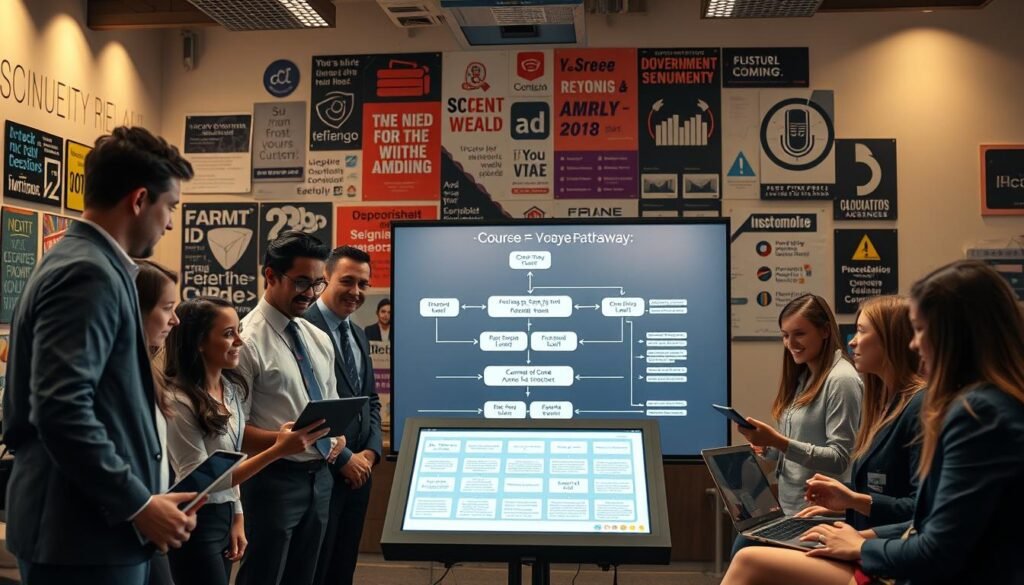
Progress through focused modules that teach practical app-building from day one.
This course groups learning into eight concise modules. Each module walks you from basics to complex applications. You practice login flows, image uploads, and Firebase wiring early. Later modules cover advanced app state, conditional visibility, and multi-lesson projects like food delivery and an e-commerce product store.
Module-based learning: from login flows to complex applications
Modules combine short video lessons, written content, and hands-on projects. After each module you meet a mentor to review work and set next steps. This structure builds skills in auth, uploads, conditional visibility, and state management without heavy syntax.
Build portfolio projects: blog, landing page, to-do, food delivery, e‑commerce, and learning apps
You will ship multiple projects: a blog, a coaching landing page, a to-do app, a food delivery flow, a Nike Sneaker Store, and an online learning app. Each project includes deployable artifacts and a companion website or landing page for acquisition and onboarding.
Mentorship, community, and fast-tracking freelance opportunities
Mentor reviews accelerate growth and cut guesswork. Community feedback refines product decisions and helps prepare assets for Upwork and other marketplaces. Graduates document outcomes, prepare case studies, and gain real client-facing experience to jumpstart freelance work.
- Practical projects: real apps that show skills to hiring managers.
- Mentor meetings: one per module to validate progress.
- Portfolio-ready: product listings, carts, and checkout patterns included.
| Module Group | Core Focus | Outcome |
|---|---|---|
| Intro & Basics | Basics FlutterFlow, Firebase, login | Working auth and image upload |
| Content Apps | Blog, landing page, website elements | Published content project for acquisition |
| Product Apps | To-do, food delivery, e-commerce | Portfolio app with listings and checkout |
| Advanced Features | App state, conditional visibility, QR | Scalable app patterns and integrations |
When you want structured platforms for learning options, explore a curated list of course platforms that match your goals and tools.
Your next step to building apps without coding experience
Start now, pick a focused project—like a simple to-do—and build a working prototype that proves value fast.
Set up Firebase, map collections and fields, then design screens with drag-and-drop widgets. Bind app data visually, preview in real time, and iterate until flows feel solid.
Apply the basics and reserve a code tool only when an integration adds clear value. Plan advanced features as later add-ons and keep early releases small.
Follow a module-based course and video guidance for mentorship, checklisted deployment, and post-release monitoring. For related resources, explore practical examples on no-code social platforms to see how tools scale.



0 Comments