

What if fixing your slow laptop costs less than dinner for two? Many think they need a new laptop when it’s slow. But, the truth might surprise you.
Upgrading your laptop RAM can cost between $25 and $150. This small investment can make your old laptop work like new again. A RAM upgrade can turn a frustrating experience into a smooth one.
Before you spend, check if it’s worth it for you. A good rule is: if your laptop is under four years old and the upgrade costs less than 30% of a new laptop, it’s a smart choice.
But, if your laptop is over five years old and has other problems, it might not be worth it. Spending money on an old laptop won’t give you the results you want.
This guide will tell you everything you need to know. You’ll learn about RAM types, prices, labor costs, and where to buy. You’ll know exactly how much to spend and if the upgrade is right for you.
Key Takeaways
- The cost to upgrade laptop RAM typically falls between $25 and $150 for the memory module alone.
- Upgrading makes financial sense when the laptop memory upgrade price is less than 30% of a new laptop’s cost.
- Laptops under four years old benefit the most from a RAM upgrade.
- DIY installation can save you $40 to $80 in labor fees charged by repair shops.
- Brands like Crucial and Kingston offer reliable, budget-friendly options for most laptop models.
- Skip the upgrade if your laptop shows multiple signs of aging beyond slow performance.
Understanding RAM and Its Importance in Laptops
Before you look into upgrading your laptop’s memory, it’s good to understand RAM. It’s like your laptop’s short-term desk. The more space, the more tasks it can handle at once.
What is RAM?
RAM stands for Random Access Memory. It holds data your laptop needs right now. This includes open tabs, running apps, and active files. When RAM is full, your laptop slows down.
Types of RAM Used in Laptops
Laptops use SODIMM, a compact form. You’ll find DDR3, DDR4, and DDR5 in today’s laptops. MSI gaming laptops often use DDR4 SODIMM up to 64GB.
- DDR3 — Found in older laptops (pre-2015), speeds up to 1866MHz.
- DDR4 — The current standard, speeds from 2133MHz to 3200MHz.
- DDR5 — Newest generation, speeds starting at 4800MHz.
How RAM Affects Laptop Performance
The memory you have affects your daily use. Too little RAM means slow apps and crashes. Knowing how much you need is the first step to upgrading.
| RAM Amount | Best For | Typical Use Case |
|---|---|---|
| 8GB | Basic tasks | Email, web browsing, light documents |
| 16GB | Most professionals | Multitasking, photo editing, spreadsheets |
| 32GB | Creative pros | Video editing, CAD, software development |
| 64GB | Heavy workloads | 3D rendering, large databases, virtual machines |
Understanding your needs helps you decide if upgrading is worth it. The next section will explain what affects the cost of upgrading.
Factors Influencing the Cost to Upgrade Laptop RAM
https://www.youtube.com/watch?v=IfOREULEqRU
Many things affect how much it costs to upgrade your laptop’s RAM. The type of laptop, how much RAM you want to add, and if it fits are all important. Let’s look at each one so you can plan your budget well.
Brand and Model of Laptop
Not all laptops are easy to upgrade. Business laptops like Lenovo ThinkPad or Dell Latitude are often easy to work on. But, slim ultrabooks from Apple or some ASUS ZenBook models have soldered RAM, making upgrades hard or impossible.
Before you buy anything, check if your laptop can get a RAM upgrade. Some laptops only have 8GB or 16GB of RAM. If your laptop can’t take more, the cost of upgrading is pointless.
Amount of RAM Being Added
The cost of adding RAM depends on how much you add. Here’s a quick look at common upgrade sizes and their prices in 2024:
| Upgrade Size | Approximate Module Cost | Best For |
|---|---|---|
| 4GB to 8GB | $15–$25 | Basic browsing and office tasks |
| 8GB to 16GB | $25–$50 | Multitasking and light creative work |
| 16GB to 32GB | $50–$100 | Video editing and heavy workloads |
Remember, global chip shortages and supply chain issues can raise prices. Experts say that whether laptops will get cheaper is still up in the air, due to demand and pandemic-related problems.
Type of RAM Compatibility
You must get the exact RAM type your laptop needs. Important specs include:
- RAM generation (DDR3, DDR4, or DDR5)
- Clock speed (measured in MHz)
- Form factor (SO-DIMM for laptops)
- Number of available slots
DDR5 modules are more expensive than DDR4. Using the wrong type can harm your system. Always check your laptop’s manual or use a tool like Crucial’s System Scanner to make sure it’s compatible before buying.
Average Cost of Laptop RAM Upgrade in the U.S.
Knowing how much RAM you need helps you plan your budget. Prices change based on RAM amount and installation type. We’ll look at different tiers to help you choose.
Low-End RAM Prices
An 8GB RAM stick is good for basic tasks. You can find quality 8GB modules from Crucial or Kingston for $20 to $30. Adding RAM yourself costs around $60.
This is a cheap way to make your laptop faster. It’s perfect for simple tasks like browsing and email.
Mid-Range RAM Prices
For most people, 16GB is the best choice. These modules cost $50 to $70. Adding RAM professionally costs about $100.
This amount is great for multitasking. You can easily run spreadsheets and video calls at the same time.
High-End RAM Prices
32GB is for heavy users. These modules cost $150 to $190. Professional installation adds another $30 or more.
| RAM Capacity | Module Price | Installation Fee | Total Estimated Cost |
|---|---|---|---|
| 8GB | $20 – $30 | $30 | $50 – $60 |
| 16GB | $50 – $70 | $30 | $80 – $100 |
| 32GB | $150 – $190 | $30 | $180 – $220 |
Professional installation starts at $30. This includes the install, setup, and a quick check. Choose based on your needs and goals.
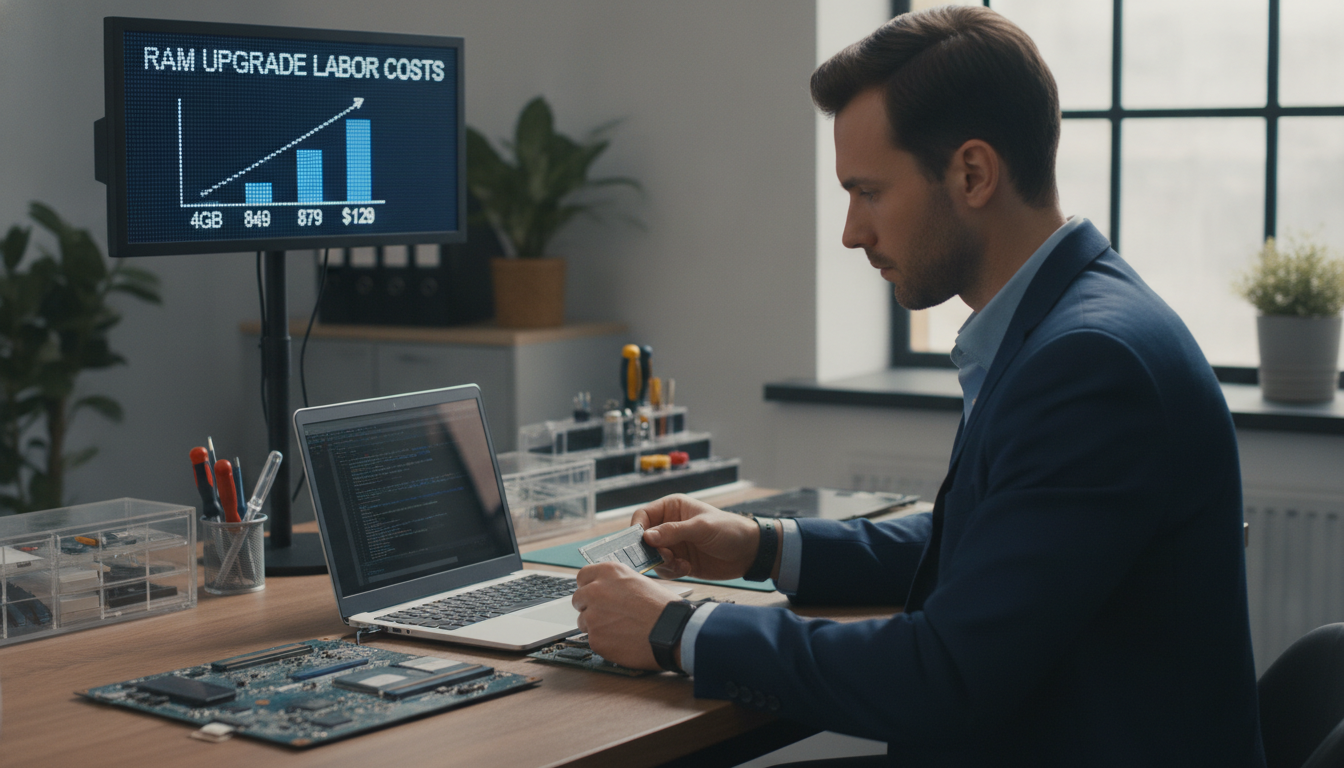
Labor Costs for Upgrading Laptop RAM

You know how much RAM costs. Now, let’s talk about who installs it and the cost. The price depends on whether you do it yourself or get a pro.
DIY vs. Professional Installation
Doing it yourself saves money. You can find free tutorials online. But, there’s a big risk.
Incorrect RAM installation can void your manufacturer warranty. One mistake can damage your motherboard. Pros handle these risks and have insurance.
- DIY cost: $0 in labor, but you assume all risk
- Professional service: Includes compatibility testing and system optimization
- Repair shops like Landmark Computers run full diagnostics to find performance bottlenecks before upgrading
Professionals can find issues a simple swap won’t fix. They move your data and ensure your system works with the new memory.
Estimated Labor Costs at Repair Shops
The cost for RAM installation at repair shops varies. Here’s what you might pay in the United States in 2024:
| Service Provider | Typical Labor Cost | What’s Included |
|---|---|---|
| Local Repair Shop | $30–$50 | Installation + basic testing |
| Best Buy / Geek Squad | $40–$70 | Installation + diagnostics + optimization |
| Authorized Service Center | $50–$100 | Installation + warranty-safe service + full system check |
Most people pay $30 to $70 for professional RAM installation. This small cost protects your warranty and gives you peace of mind. With the prices from before, the total upgrade is still very affordable.
Where to Buy Laptop RAM
First, you need to know how much it costs to upgrade your laptop’s RAM. Then, you must find where to buy it. The place you choose can change the price, warranty, and if it fits your laptop.
Online Retailers
Websites like Newegg and Amazon have lots of options. Newegg is great because it lets you filter by your laptop model. This way, you can find the perfect RAM for your laptop.
Online prices are often lower than in stores. This can save you 10–20% on the cost to upgrade your laptop’s RAM. Remember, RAM is pricey, so if you’re looking for laptops under $200, finding one with more than 4 GB of RAM is a big deal.
| Retailer | Avg. 8 GB DDR4 Price | Compatibility Tools | Return Policy |
|---|---|---|---|
| Newegg | $18–$30 | Yes | 30 days |
| Amazon | $17–$28 | Limited | 30 days |
| Crucial.com | $20–$32 | Yes (Scanner Tool) | 45 days |
Local Electronics Stores
Stores like Best Buy and Micro Center have RAM in stock. You can buy it and start using it the same day. This is good if you can’t wait for shipping.
Prices might be a bit higher in stores. But the quick service is worth it for urgent upgrades.
Authorized Service Centers
If your laptop is still under warranty, go to an authorized service center. They use parts approved by the manufacturer. This keeps your warranty good while you upgrade your RAM without worry.
- Warranty stays valid after the upgrade
- Certified technicians handle installation
- Parts are guaranteed compatible with your exact model
Choosing the right place to buy is key. Next, we’ll look at RAM prices from different brands to help you find the best deal.
Comparison of RAM Prices Across Major Brands

RAM sticks have different prices. The cost of upgrading your laptop’s memory depends on the brand. Let’s look at how six well-known brands compare so you can make a smart choice.
Crucial vs. Kingston
Crucial and Kingston are top choices for laptop users. They offer dependable performance at good prices. A 16 GB DDR4 SODIMM from Crucial costs $25–$35. Kingston’s ValueRAM is $27–$38.
Both brands are great for a good price. Crucial is a bit cheaper, and Kingston has more options.
Corsair vs. G.Skill
Gamers and power users like Corsair and G.Skill. These brands make higher-speed modules for tough tasks. But, you’ll pay more for this extra speed.
| Brand | 16 GB DDR4 (Standard) | 16 GB DDR5 (High-Speed) | Best For |
|---|---|---|---|
| Crucial | $25–$35 | $40–$55 | Budget upgrades |
| Kingston | $27–$38 | $42–$58 | General productivity |
| Corsair | $35–$50 | $55–$75 | Gaming laptops |
| G.Skill | $33–$48 | $52–$70 | High-performance tasks |
| Samsung | $30–$45 | $48–$65 | OEM compatibility |
| Hynix | $28–$42 | $45–$62 | Factory-spec replacements |
Samsung vs. Hynix
Samsung and SK Hynix make chips for most laptops. They are the best for guaranteed compatibility. Samsung’s prices are a bit higher than Hynix for the same specs.
Choosing between these brands depends on what you need:
- Tight budget — go with Crucial or Hynix
- Gaming speed — pick Corsair or G.Skill
- Maximum compatibility — stick with Samsung or Hynix
Knowing where each brand fits helps you find the right memory upgrade. Next, we’ll talk about when you need to add more RAM.
Signs That You Need More RAM
Your laptop tells you when it needs more memory. Spotting these signs early can save you time and trouble. Knowing the RAM upgrade cost helps you plan before your system stops working.
Slow Performance
Slow speed is a big warning sign. Opening many tabs, an email client, and a Word document should be easy. If your system lags during these tasks, it’s out of memory.
Video calls on Zoom or Teams get tough with other apps open. Big Excel spreadsheets and Photoshop files take too long to open. As this Dell laptop buyer’s guide says, 8GB of RAM is key for smooth multitasking and web browsing.
Frequent Crashes
Programs closing without warning means you’re out of memory. You might see a spinning wheel on a Mac or a frozen screen on Windows. These crashes happen when your system can’t handle all the data.
If your laptop restarts on its own during heavy use, don’t ignore it. It’s your machine telling you it needs help.
Warning Messages
Your operating system will show pop-up alerts like “Your computer is low on memory.” These messages mean you need to act fast. At this point, looking into the RAM upgrade cost for your laptop is a good idea.
| Warning Sign | What You Experience | Urgency Level |
|---|---|---|
| Slow app loading | Programs take 10+ seconds to open | Moderate |
| Browser tab crashes | Tabs reload or freeze with 5+ tabs open | High |
| Video call stuttering | Audio and video lag during meetings | High |
| System memory alerts | Pop-up warnings about low memory | Critical |
| Random restarts | Laptop shuts down during heavy tasks | Critical |
Seeing these signs early lets you compare options and plan for the RAM upgrade cost that fits your needs.
Benefits of Upgrading Laptop RAM

Knowing how much to upgrade laptop memory is just the start. You’ll see big changes in how you use your laptop. It’s not just about being faster.
Improved Multitasking Capabilities
More RAM means no more waiting when you switch tasks. You can use your browser, word processor, and music app all at once. A college student upgraded to 8GB for $100. Now, Chrome, Microsoft Word, and Spotify run smoothly together.
Think of RAM as your desk space. A bigger desk means you can work on more projects without clutter.
Enhanced Gaming Experience
Gaming needs a lot from your laptop. Without enough RAM, you’ll see problems like texture pop-in and stuttering. Upgrading RAM makes games run smoother and faster.
| Benefit | Before Upgrade (8GB) | After Upgrade (16GB) |
|---|---|---|
| App Switching Speed | 2–5 second delay | Near instant |
| Game Load Times | 45–60 seconds | 20–30 seconds |
| Browser Tabs Open | 10–15 tabs | 30+ tabs |
Extended Lifespan of the Laptop
Figuring out how much to upgrade laptop memory can save you money. A Lenovo ThinkPad owner saved $1,200 by upgrading RAM for under $80. The laptop lasted two more years.
- Delays the need for a full laptop replacement
- Keeps your machine compatible with newer software updates
- Delivers strong return on a small investment
Upgrading RAM is a smart way to save money and boost your productivity.
Common Misconceptions About Laptop RAM Upgrades
Before you spend money on a RAM upgrade, you need to separate fact from fiction. Many people waste time and money chasing myths. These myths sound true but lead to poor decisions. Understanding these misconceptions can save you from an unnecessary laptop RAM replacement cost.
Myths About Compatibility
One of the biggest myths is that every laptop can accept a RAM upgrade. Many modern ultrabooks from brands like Apple and Dell XPS solder memory directly to the motherboard. This makes upgrades physically impossible.
Another common belief is that faster RAM always means better performance. Your motherboard sets a speed ceiling. If your board supports DDR3 at 1600 MHz, installing 2133 MHz modules won’t give you a speed boost. The system will just run the RAM at the lower speed. You can explore DDR3 RAM memory options to understand how capacity, speed, and latency all shape what you actually pay.
Many gamers assume more RAM alone will fix lag. In reality, a weak graphics card creates the bottleneck. Extra RAM won’t solve that problem.
Misunderstandings About DIY Upgrades
Some people believe a DIY upgrade is always the cheapest path. The laptop RAM replacement cost can climb fast if you buy the wrong module or damage a clip during installation. Returns, restocking fees, and repair bills add up quickly.
There’s a practical age limit to consider as well. Laptops older than six years often face multiple failing parts — batteries, screens, and storage drives. Pouring money into RAM for an aging machine rarely delivers a good return. Here are quick signs an upgrade may not be worth it:
- Your laptop has soldered, non-removable RAM
- The system is more than six years old with other failing components
- Your performance issues stem from the hard drive or GPU, not memory
Knowing these realities helps you make a smarter spending decision before committing to any upgrade.
Conclusion: Is Upgrading Laptop RAM Worth It?
Upgrading your laptop’s RAM is a simple choice. Is the cost worth the speed boost? For most, the answer is yes. This is true if your laptop is under four years old and RAM is the main slowdown.
Evaluating Cost vs. Benefit
Upgrade RAM if the cost is less than 30% of a new laptop’s price. But, if your laptop needs a new processor, battery, screen, or keyboard, RAM alone won’t help. RAM upgrades are only worth it if memory is the main problem.
Long-Term Value of Upgrading
Adding 16GB of RAM meets most professionals’ needs for years. This upgrade can make your laptop last longer, saving you money. Compared to buying a new laptop, RAM upgrades offer great value at a lower cost.